Quick answer: This DealCheck review covers pricing and how it actually performs. DealCheck is a real estate investment analysis tool that lets you underwrite rentals, house flips, and multifamily deals in seconds. The free plan covers up to 15 saved properties, and paid plans start at $10/month for more comps, templates, and saved deals. For investors — or agents working with investor clients — who want fast, professional-looking numbers before making an offer, it’s one of the simplest calculators to plug into an existing workflow.
The problem most investors (and their agents) have
Most of this DealCheck review comes down to speed and credibility: running numbers by hand works, but it’s slow and easy to get wrong under pressure, and a spreadsheet isn’t something you hand to a client with confidence. That’s the gap this DealCheck review keeps coming back to — a shareable, professional-looking report instead of a private spreadsheet only you understand.

Running the numbers on a rental or a flip by hand in a spreadsheet works, but it’s slow, easy to get wrong under pressure, and doesn’t produce anything you can hand to a client. DealCheck was built to fix that: plug in a property, get cap rate, cash-on-cash return, IRR, and a shareable report in about the time it takes to load a listing.
What DealCheck actually does
- Rental cash flow calculator — projected NOI and cash flow for long-term rentals, BRRRRs, and Airbnbs
- House flipping calculator — rehab costs, profit, and returns for flip and rehab projects
- Multi-family and commercial calculator — detailed rent rolls and per-unit analysis
- Investment return calculations — cap rate, cash-on-cash return, ROI, ROE, IRR, GRM, and more
- Property data import from public records and listings, plus sale and rental comps
- Professional PDF or interactive reports you can generate and share in one click
Pricing (2026)
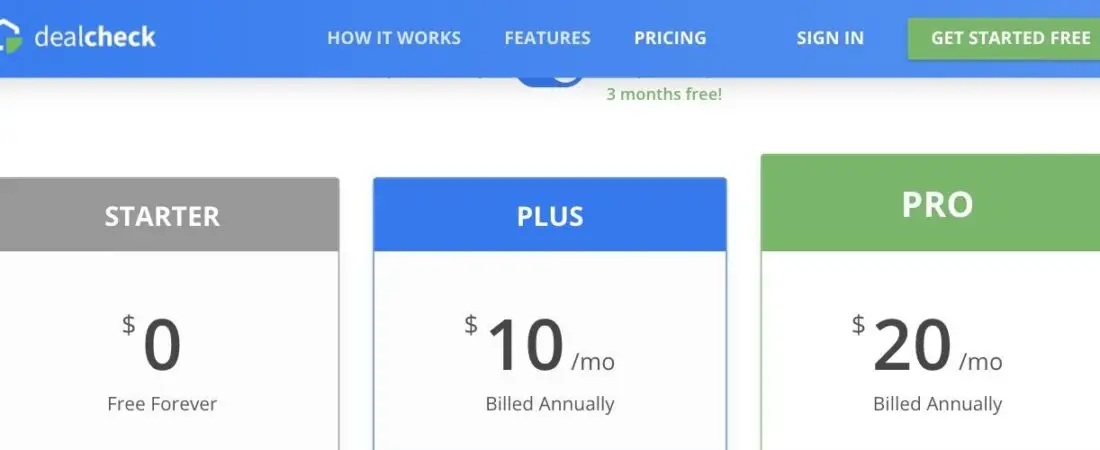
- Starter — $0/mo — up to 15 saved properties, core analysis tools, no credit card required
- Plus — $10/mo — up to 50 saved properties, more comps and templates
- Pro — $20/mo — unlimited saved properties, comps, and templates
Every paid plan includes a 14-day free trial, and you can cancel or switch plans at any time.
Who should use it
Investors running numbers on more than one or two deals a year, and agents who work with investor clients and want to hand over a professional analysis instead of back-of-napkin math.
My honest take
Every investor I know who does this seriously runs their numbers through DealCheck before making an offer. It’s fast enough to use standing in a driveway on a phone, and the reports look credible enough to attach to an offer packet. If you’re still doing this math in a spreadsheet, this is the upgrade.
Related: If you’re the one sourcing off-market deals for investors rather than just analyzing them, see our PropStream review for the data-tool side of finding motivated sellers. And if you need a system to manage the rentals once the deal closes, see our note on Buildium for property management.
Read the full Buildium review for pricing tiers and whether it makes sense once you are managing rentals long-term.
Affiliate Disclosure: This post contains an affiliate link. If you sign up through it, I may earn a commission at no extra cost to you. I only recommend tools I personally use or have thoroughly evaluated. Try DealCheck free.